Photograph your bookshelves and record stacks with your phone, upload to Claude AI, and ShelfMate builds you a searchable catalogue of your entire collection — books, vinyl LPs, CDs and more.
£10 one-time — no subscription, self-hosted, your data stays yours. Try the free BookBinder first →
One shelf per photo, straight on. Books, LPs, CDs — your phone handles it all.
Group each shelf or stack into a zip, upload to Claude.ai with a simple prompt.
Claude AI reads titles, artists and authors — even upside-down ones — and generates the import SQL.
Paste the SQL, and your catalogue is ready to search, filter by genre, and explore.
ShelfMate catalogues your entire collection — literary fiction alongside your jazz LPs, medical texts alongside your blues CDs. Category, sub-category and genre fields handle everything from Osteopathy textbooks to Classical vinyl to obscure folk records.
Claude reads LP and CD spines from photos just as easily as book spines — even stacked flat, even upside down.
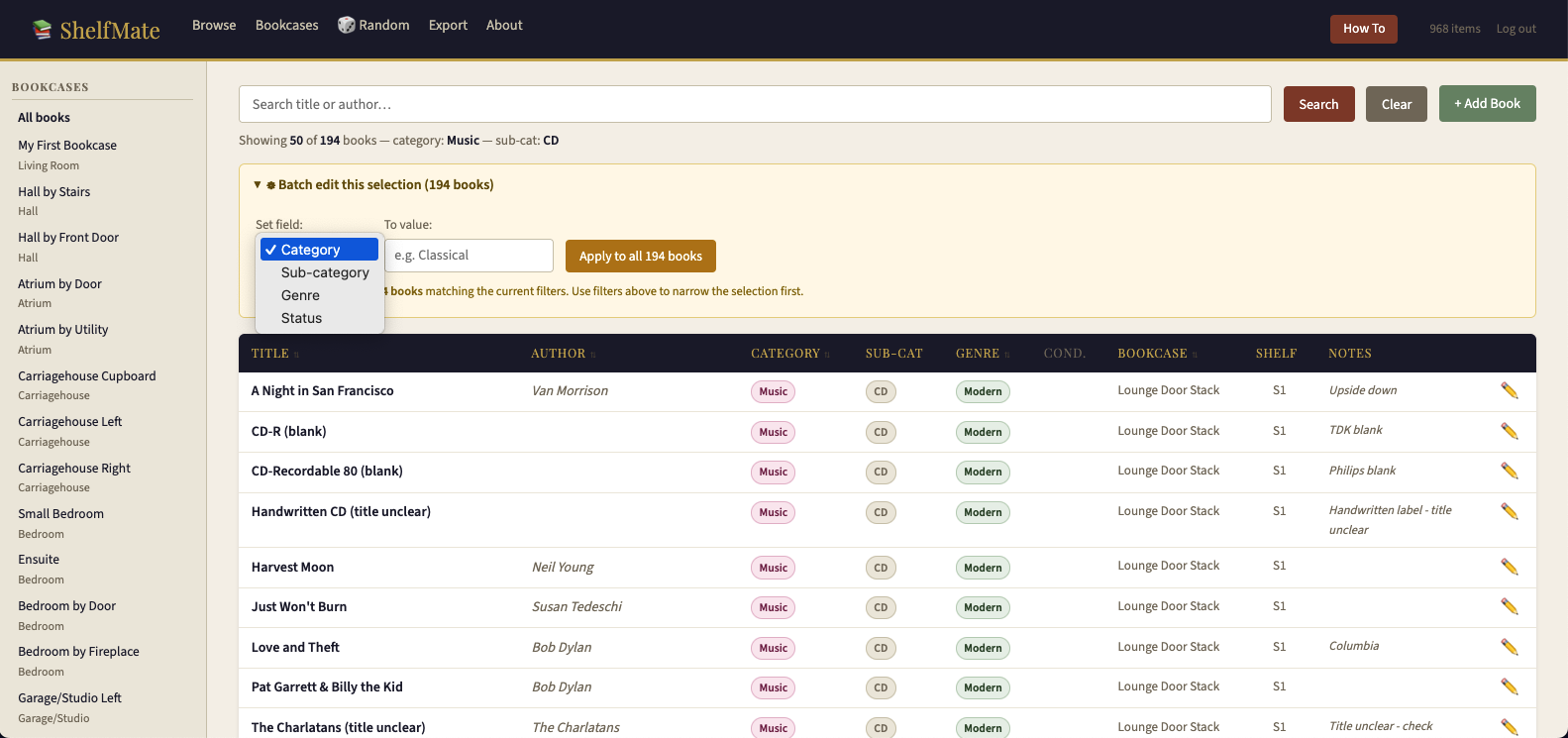
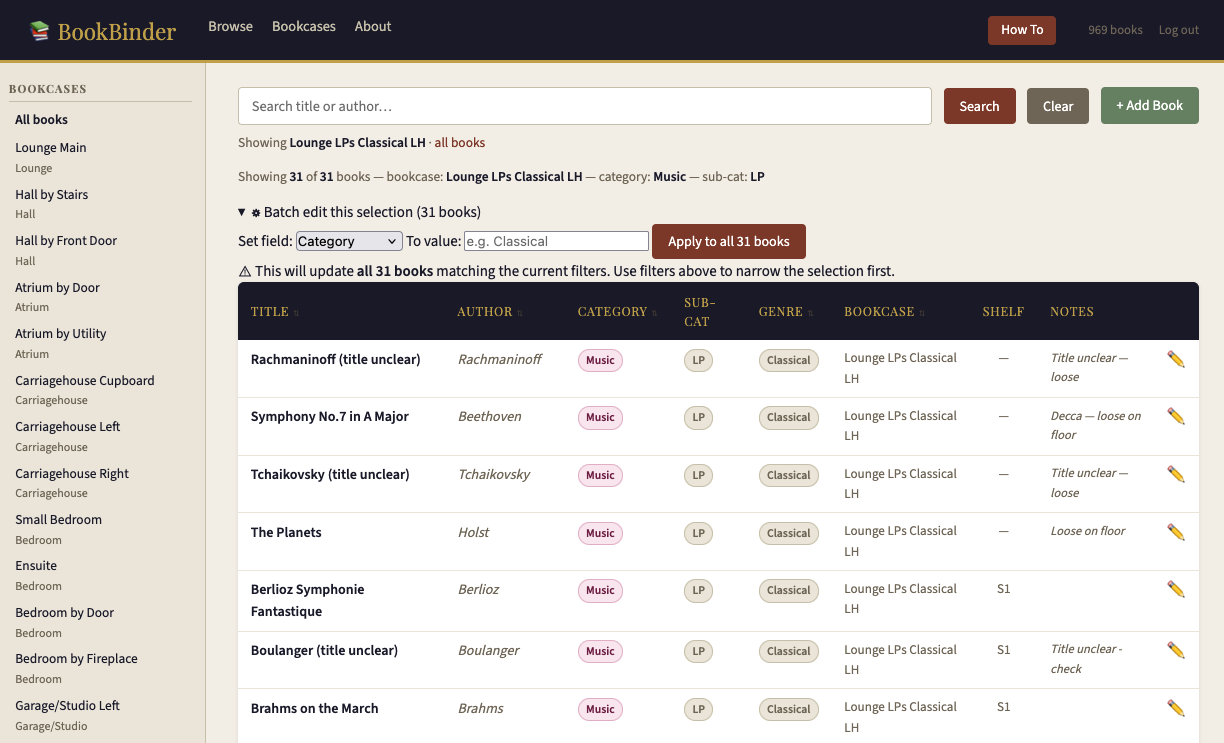
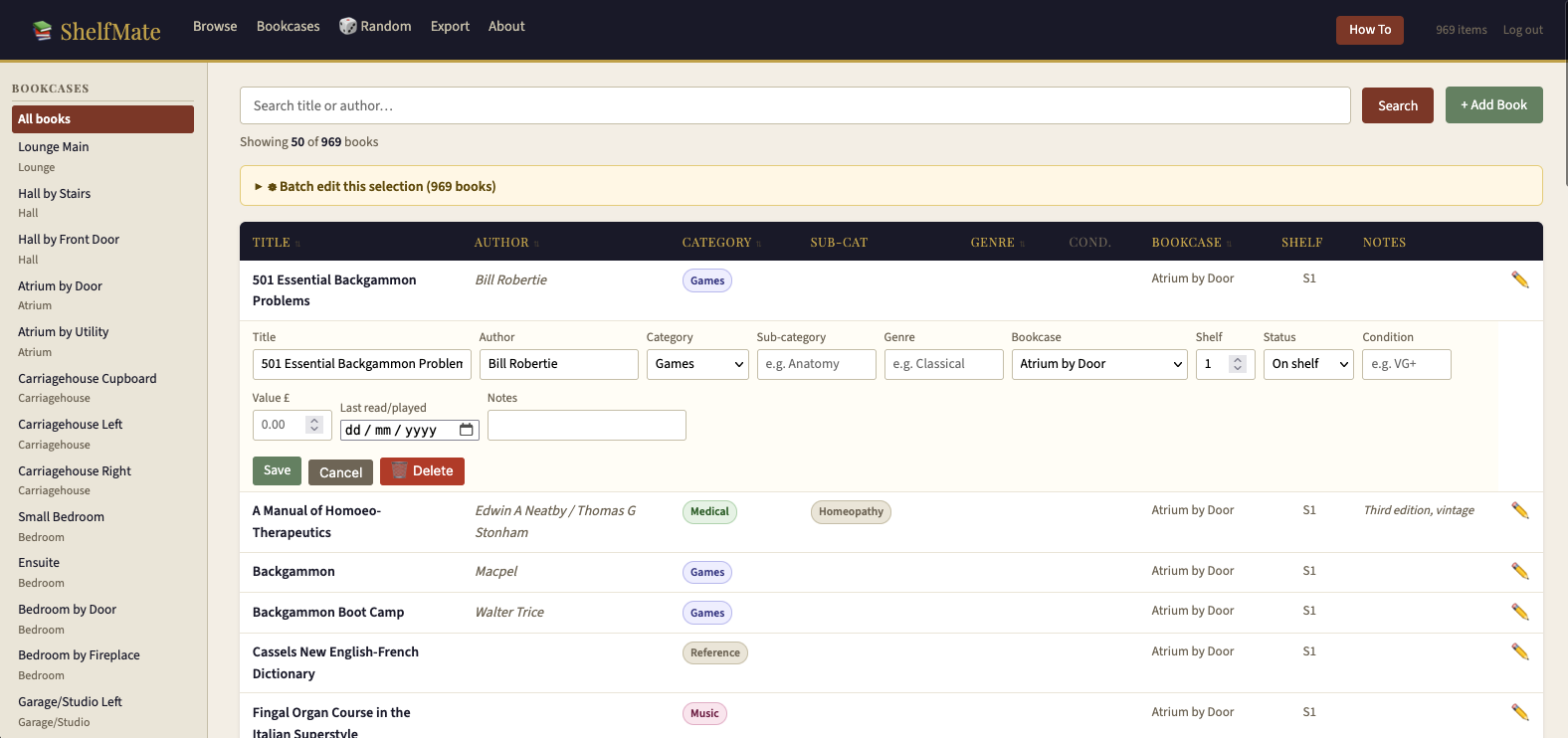
A dedicated genre field sits alongside category and sub-category in the browse list. Assign genres individually or use batch edit to genre-tag your entire LP collection in one click — "filter to all Music LPs, set genre to Classical, apply." Done.
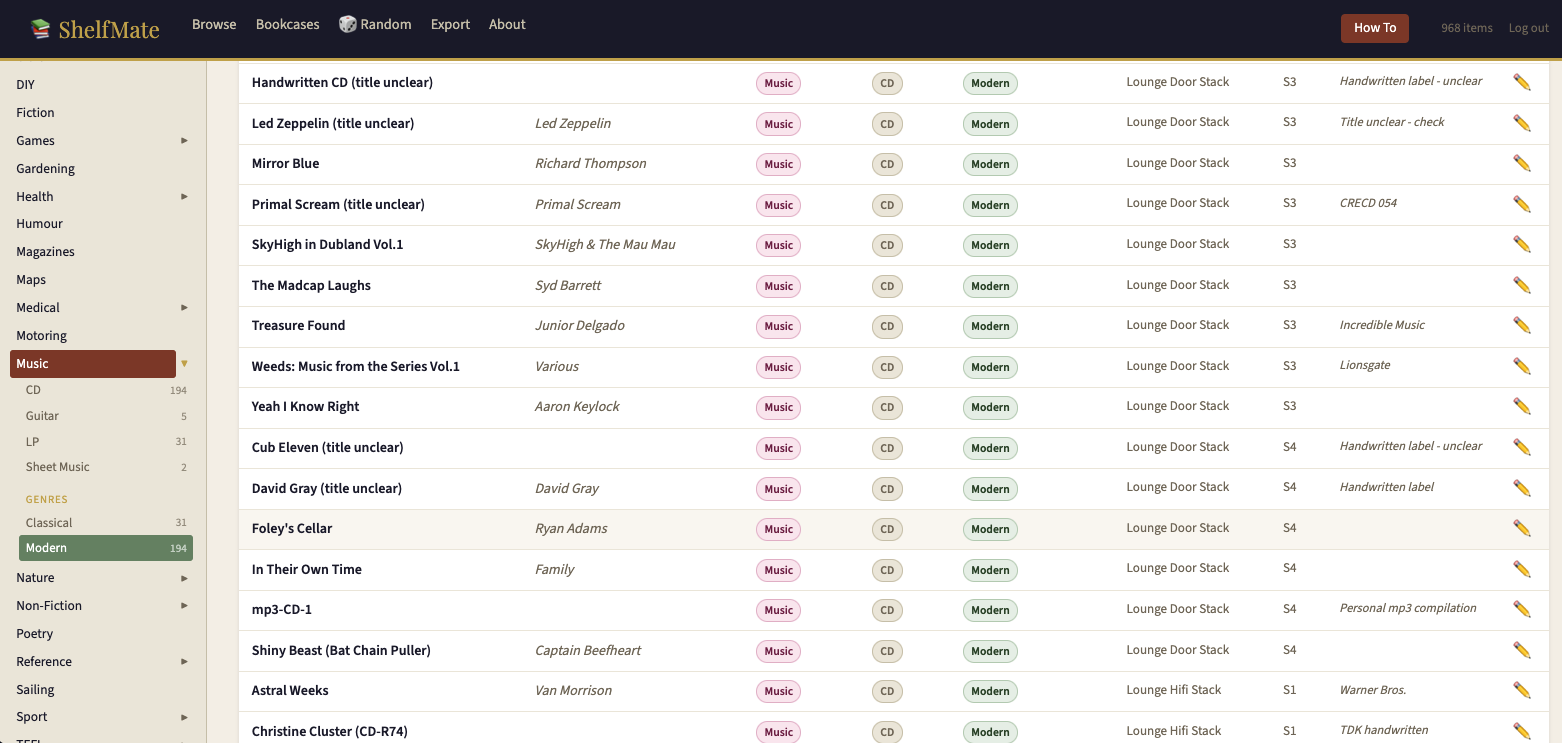
Genres appear in the sidebar with counts, expanding under each category. Sort the whole catalogue by genre to find that Miles Davis you know is somewhere on a shelf.
Rate every record and book with standard condition grades — Mint, NM, VG+, VG, Good, Fair, Poor. Shows in the browse list, filterable, editable inline. Essential for anyone building or valuing a serious vinyl collection.
Mark any item as Wishlist status — it appears in the sidebar as a separate count, styled differently in the browse list, and exportable as a standalone CSV to take to record fairs and second-hand bookshops.
Download your full catalogue — or any filtered subset — as a CSV file. Opens in Excel, Numbers or Google Sheets. Filter by bookcase, category, wishlist or any combination before exporting. Useful for insurance valuations, lending libraries, or just having a backup you can read without the app.
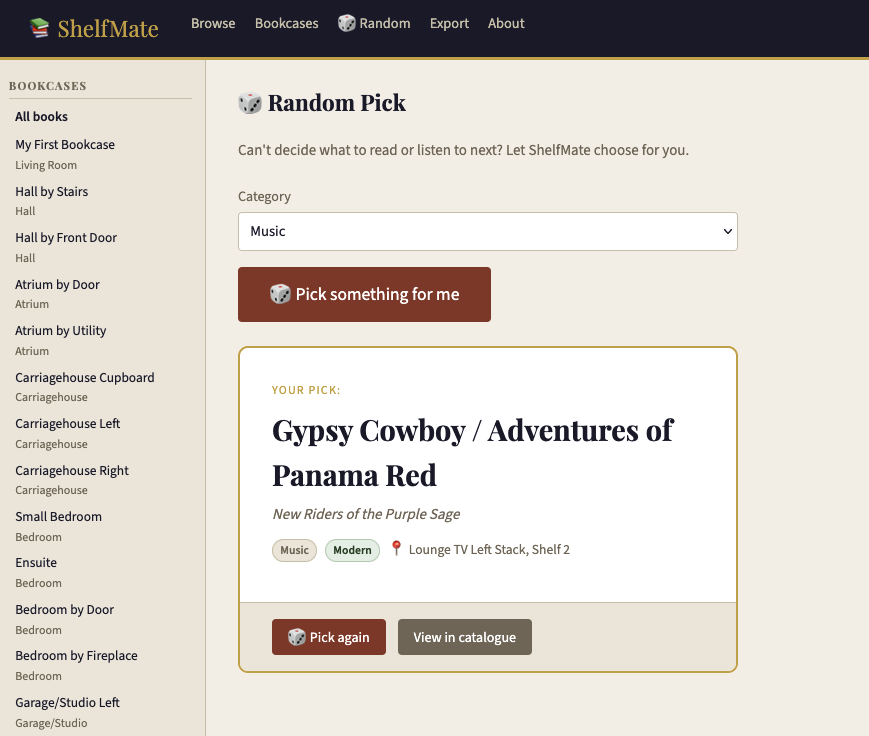
Can't decide? Hit the 🎲 Random button, filter by category if you want (Fiction only, or Music only), and ShelfMate picks something from your shelves at random. Shows the title, artist/author, location and condition. Hit it again if you're not feeling it.
Record a purchase price or estimated value for any item. Useful for household insurance schedules, especially for vinyl collections where individual records can be worth significant sums.
ShelfMate runs on your own machine or server — Docker Desktop on Mac, Windows or Linux, or any PHP/MySQL web host. Your collection is nobody else's business. No cloud accounts, no subscriptions, no data leaving your home.
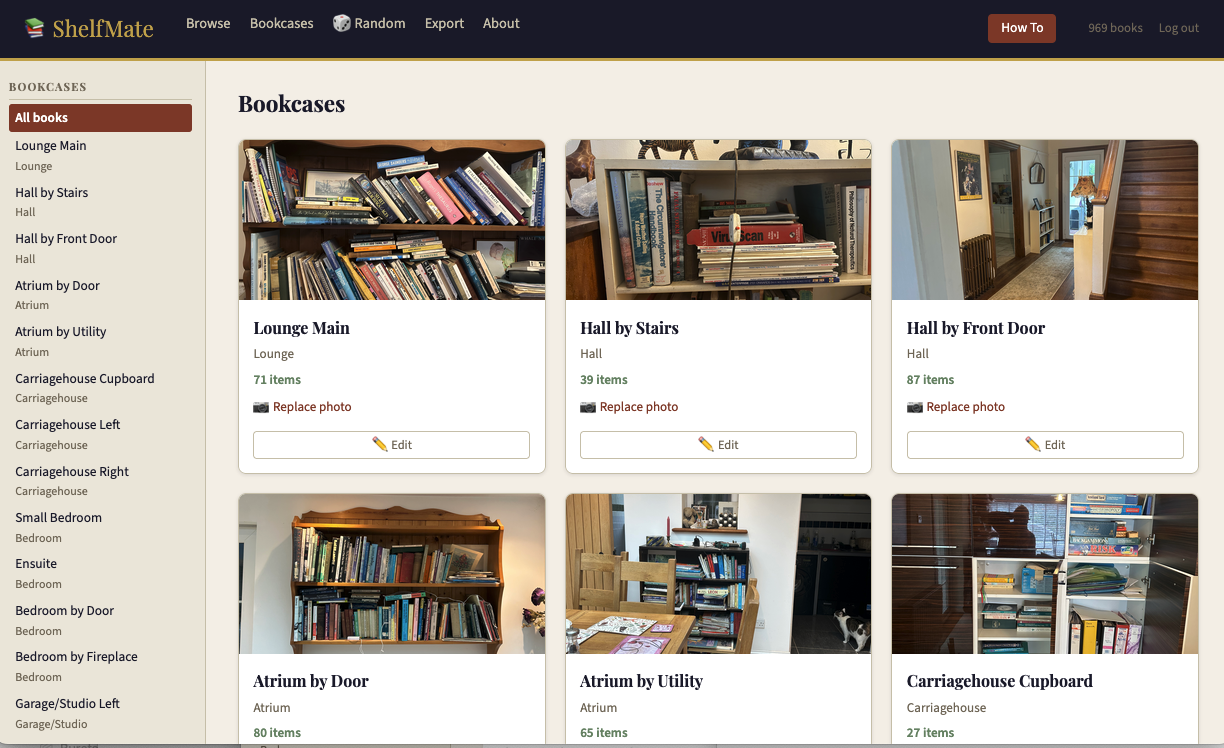
A real collection — books, LPs and CDs across 20+ bookcases and stacks.

| Feature | BookBinder Free |
ShelfMate £10 |
|---|---|---|
| Books catalogue | ✓ | ✓ |
| CD catalogue | ✓ | ✓ |
| LP / vinyl catalogue | ✓ | ✓ |
| Genre field & sort | ✗ | ✓ |
| Batch edit by category/sub-cat | ✗ | ✓ |
| Batch edit by genre | ✗ | ✓ |
| Condition grading (VG+, Mint…) | ✗ | ✓ |
| Wishlist | ✗ | ✓ |
| Purchase value / insurance | ✗ | ✓ |
| Last read / played date | ✗ | ✓ |
| Export to CSV | ✗ | ✓ |
| 🎲 Random pick | ✗ | ✓ |
| Lent out tracking | ✓ | ✓ |
| Bookcase photos | ✓ | ✓ |
| Claude AI spine reading | ✓ | ✓ |
| Docker Easy Install | ✓ | ✓ |
| Mac launchers | ✓ | ✓ |
Already use BookBinder? Your existing catalogue imports directly into ShelfMate — same database structure, just more features. Get BookBinder free →
One-time purchase. No subscription. Yours to keep and use forever.
A houseful of books and records, catalogued in an afternoon.
📚 Get ShelfMate — £10Not ready to buy? Try BookBinder free first — your catalogue transfers directly to ShelfMate when you're ready. · Donate to charity
The same self-hosted, no-subscription, your-data-stays-yours philosophy — applied to practice management and sole-trader self-employed business software.