Free & self-hosted

Your books.(&CDs)
Finally catalogued.

Photograph your shelves with your phone, upload to Claude AI, and BookBinder builds you a searchable catalogue of your entire home library. No typing. No barcodes. No cloud subscription.

Free forever — runs on your own computer or server. Needs Docker Desktop (free) and a free Claude.ai account.

How it works

1

Photograph your shelves

One shelf per photo, straight on. Your phone camera is all you need.

2

Zip & upload to Claude

Group each bookcase into a zip file, upload to Claude.ai with a simple prompt.

3

Claude reads the spines

Claude AI reads every title and author, generates the import SQL for you.

4

Paste & browse

Paste the SQL into BookBinder and your catalogue is ready to search and browse.

See it in action

A real collection — 744 books across 15 bookcases.
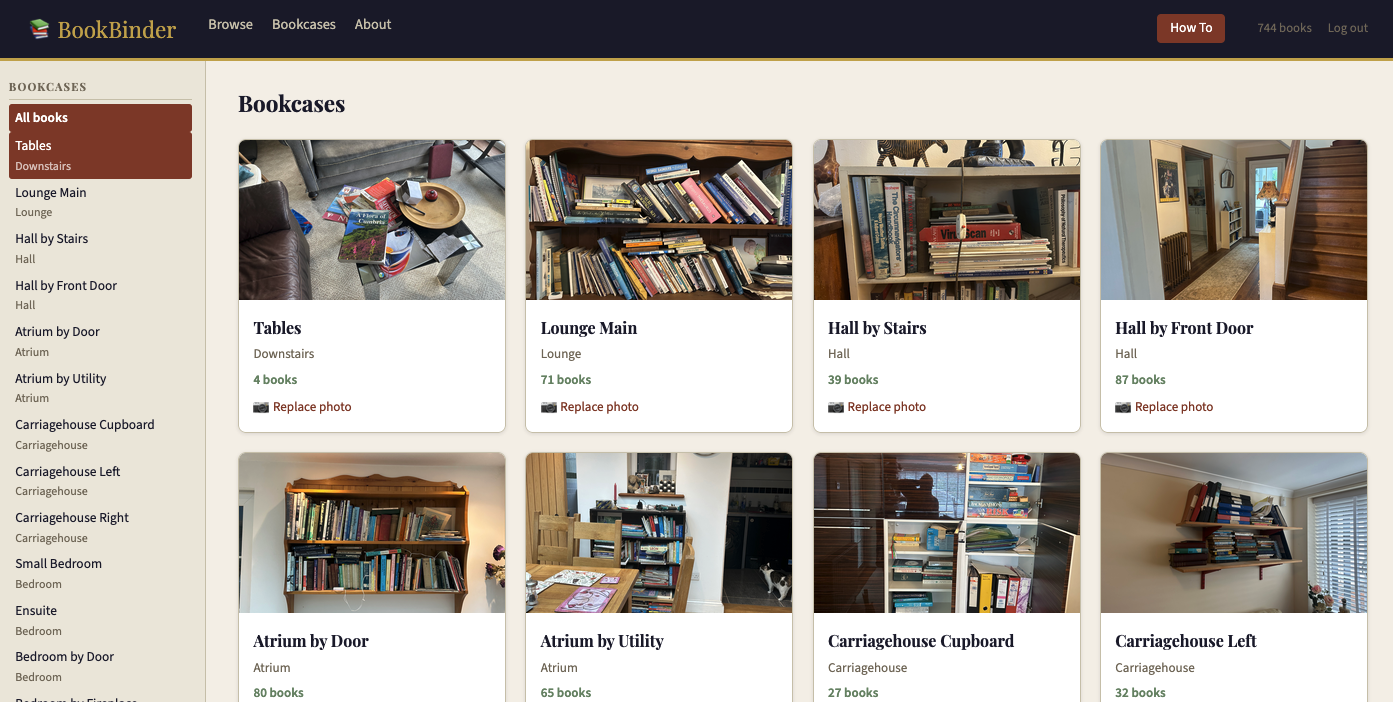
BookBinder bookcases grid showing photos of real bookshelves
Bookcases — each bookcase gets a photo so you can see at a glance where a book lives
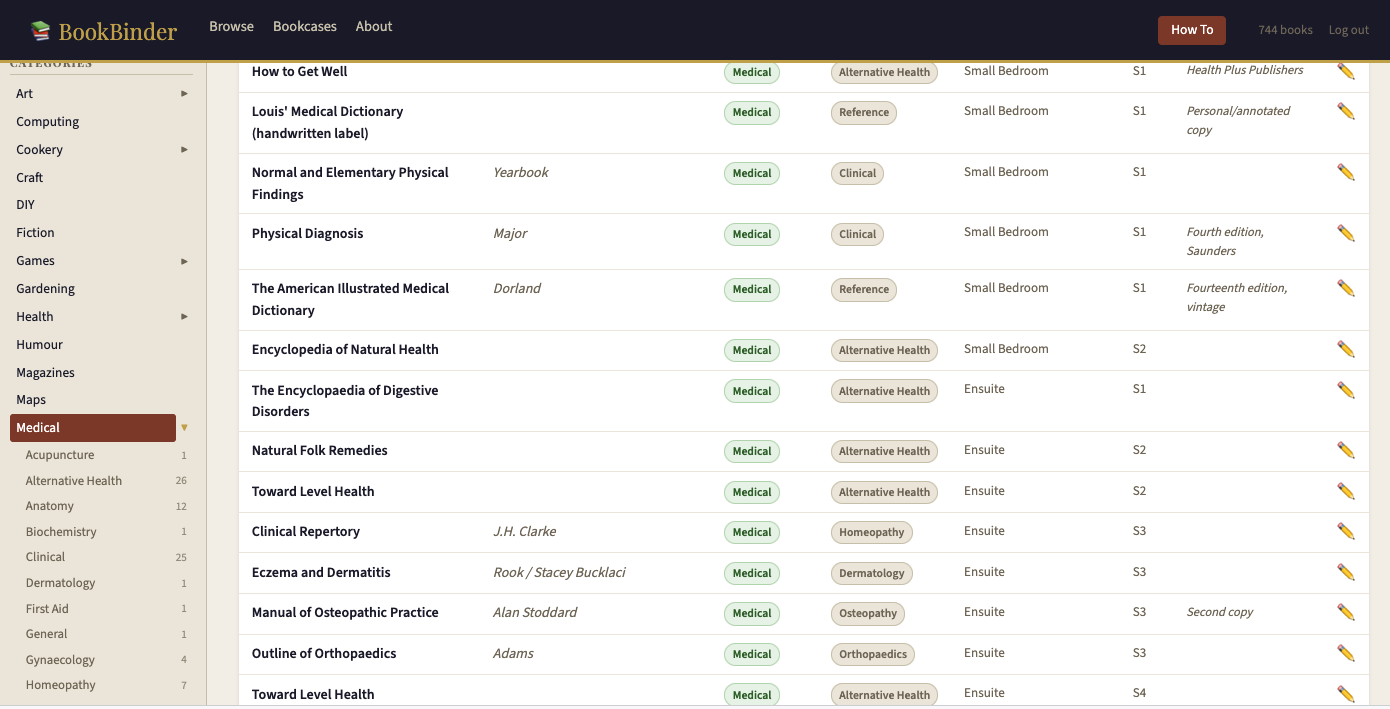
BookBinder browse view with Medical category expanded showing sub-categories
Browse & filter — categories expand to show sub-categories with counts
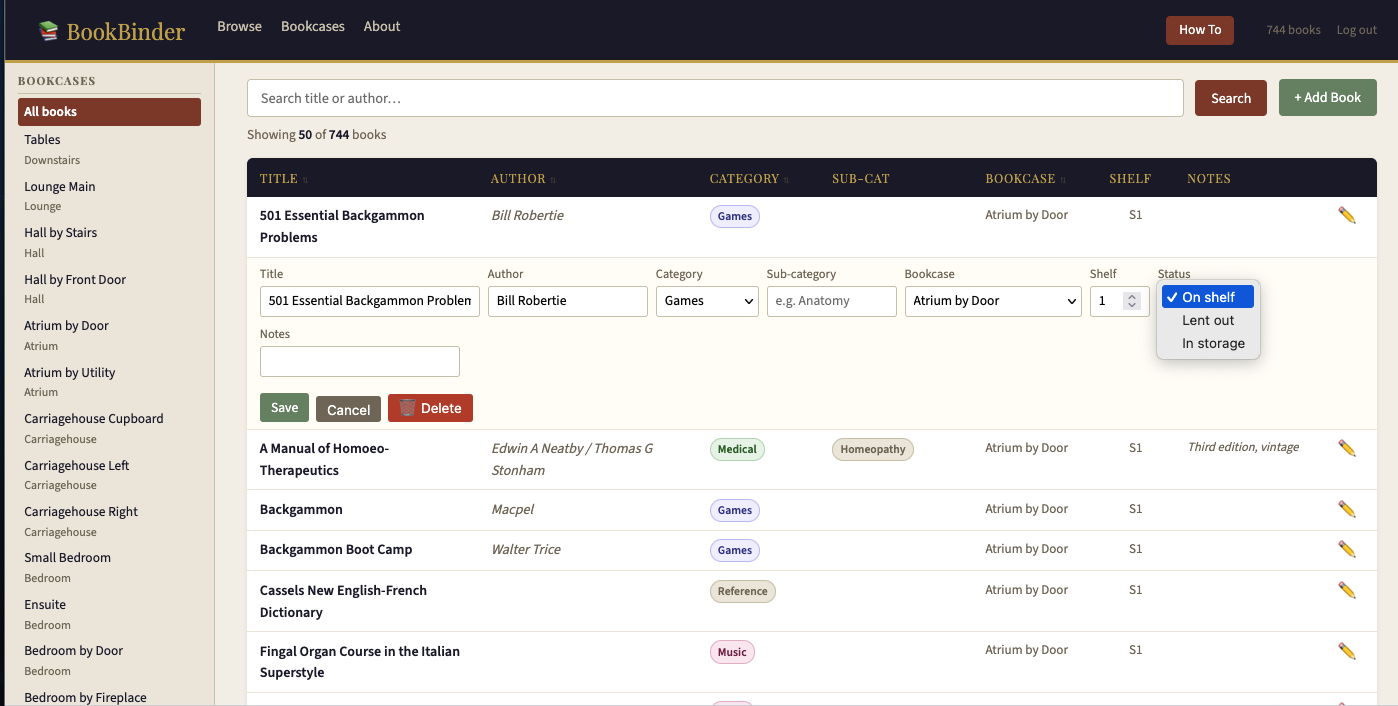
BookBinder inline edit form with status dropdown showing On shelf, Lent out, In storage
Inline editing — edit any field, move between bookcases, or mark as lent out

Everything you need. Nothing you don't.

📷

No typing. No barcodes.

Claude reads the spines directly from your photos. It handles faded text, unusual angles, and old books with worn covers. Anything it can't read clearly gets flagged so you can check the physical book later.

A collection of 700 books across 15 bookcases can be catalogued in a few hours.

🔍

Browse, filter and search

Jump to any bookcase or category from the sidebar. Categories with sub-categories have an expand arrow — Medical breaks into Anatomy, Osteopathy, Physiotherapy and more. Sailing into Pilot Books, Almanacs, Cruising Guides. Whatever you decide.

Sortable columns, pagination, and a search bar that works across title and author.

✏️

Add, edit and move books

Add books manually, edit any field inline without leaving the list, move a book to a different bookcase or shelf, or mark it as lent out (with who has it). A delete button handles books that have left the collection for good.

Browsing is open to everyone. Editing requires a password you set yourself.

📖

Track lent-out books

Mark any book as lent out and record who has it. Lent books show a small amber badge in the list. The sidebar shows a count of books currently out, and you can filter to see them all at once.

🏠

Self-hosted and private

BookBinder runs entirely on your own machine or server. Your book collection is nobody else's business. No subscriptions, no accounts to manage, no data leaving your home.

Docker Desktop makes it a one-command install on Mac, Windows or Linux. Or drop it onto any PHP/MySQL web server.

One catalogue. Every kind of book.

A flexible two-level category system you can adapt to your collection.

Fiction Non-Fiction Sailing Medical Cookery Poetry Music Gardening Nature Art TEFL Travel Humour Games Sport DIY Reference Health Motoring Magazines

What you need

🐳

Docker Desktop

Free. Mac, Windows or Linux.
Download here →

🤖

Claude.ai account

Free account at claude.ai. Used to read your book spines.
Sign up free →

📱

A phone camera

iPhone or Android. Any phone with a decent camera works fine.

🖥

Or a web server

PHP 7.4+ and MySQL. Any shared hosting works. No Docker needed.

Full install guide — Docker & manual instructions →

Your shelves are waiting.

Free to download. Free to use. Takes an afternoon to catalogue a houseful of books.

⬇ Download BookBinder free

BookBinder is free. If it's been useful, please consider a small donation — donate via JustGiving to BookTrust, Oxfam, Shelter or MSF.