Adding sample data with phpMyAdmin
For standard (non-Docker) installs. This adds made-up clients or patients, jobs, invoices and expenses so you can see how everything works. Your own records are never touched, and you can remove the sample data at any time.(to add sample data to docker easy-installs go here)
The sample records count towards the trial’s 10-record limit. Remove the sample data before you add your own, or delete a record or 2 or activate a licence to lift the limit
- Your software is installed and you can log in.
- You can log in to phpMyAdmin (usually through your hosting control panel).
- You have downloaded the sample data zip for your product (see below) and unzipped it.
- download sample data for CrystalSolutions
- download sample data for PraxisClinic
- download sample data for SoleTrader
- Do this before you turn on encryption. Check that
ENCRYPTION_ENABLEDis turned Off in Setup orfalsein yourconfig.php.
.sql. after opening the zip as it also holds .command and .bat files. Those are for the double-click method on Mac and Windows easy-installs with Docker, and phpMyAdmin can't read them. If you try, you'll see a "#1064" error mentioning #!/bin/bash. Nothing is changed when that happens, so just pick the right file and try again.| Product | To add the sample data | To remove it |
|---|---|---|
| CrystalSolutions | sample_data_crystalsolutions.sql | remove_sample_data_crystalsolutions.sql |
| SoleTrader | sample_data_soletrader.sql | remove_sample_data_soletrader.sql |
| PraxisClinic | sample_data_praxisclinic.sql | remove_sample_data_praxisclinic.sql |
-
Make a backup (optional but wise)
In phpMyAdmin, click your database in the left-hand list, then click Export, choose Quick and SQL, and click Go. Keep the file somewhere safe.
-
Select your database
In the left-hand list, click the database your software uses. Pick the right one if you have several, because the sample file loads into whichever database is selected.
-
Click Import and choose the file
Click the Import tab at the top. Under "File to import", click Choose file and pick the
sample_data_….sqlfile for your product.Leave Format: SQL and the other settings as they are.
-
Click Import
Scroll to the bottom and click Import. You should see a green message saying the import has finished successfully.
If your host limits the upload size, open the SQL tab instead, paste the whole contents of the
.sqlfile into the box, and click Go. -
Refresh your software
Log in to your software and refresh the page. The sample clients (or patients), jobs, invoices and expenses are there.
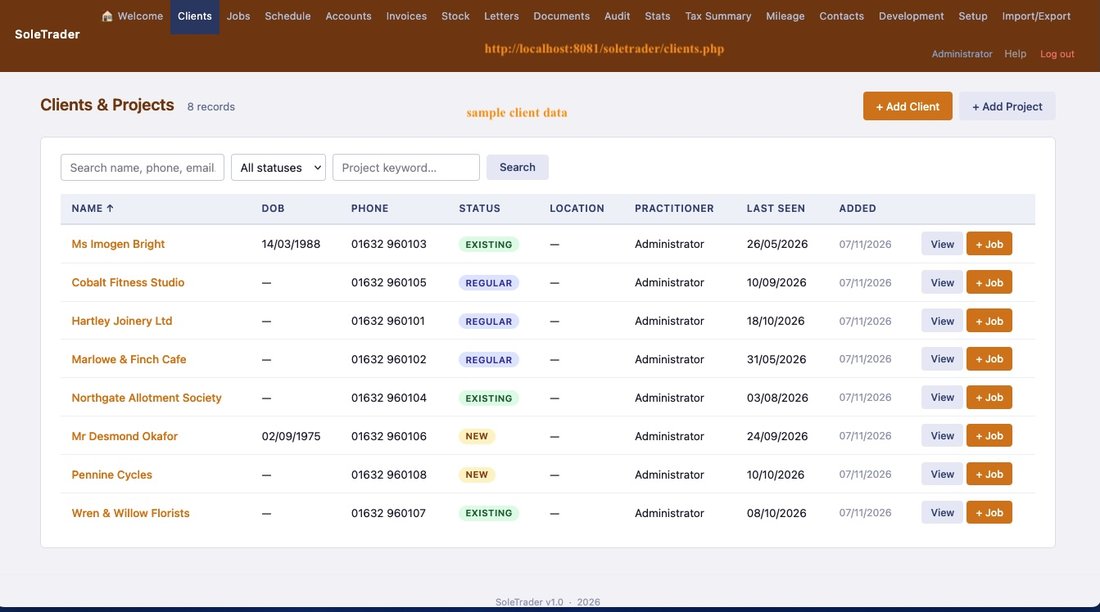
The client list now has eight sample clients. 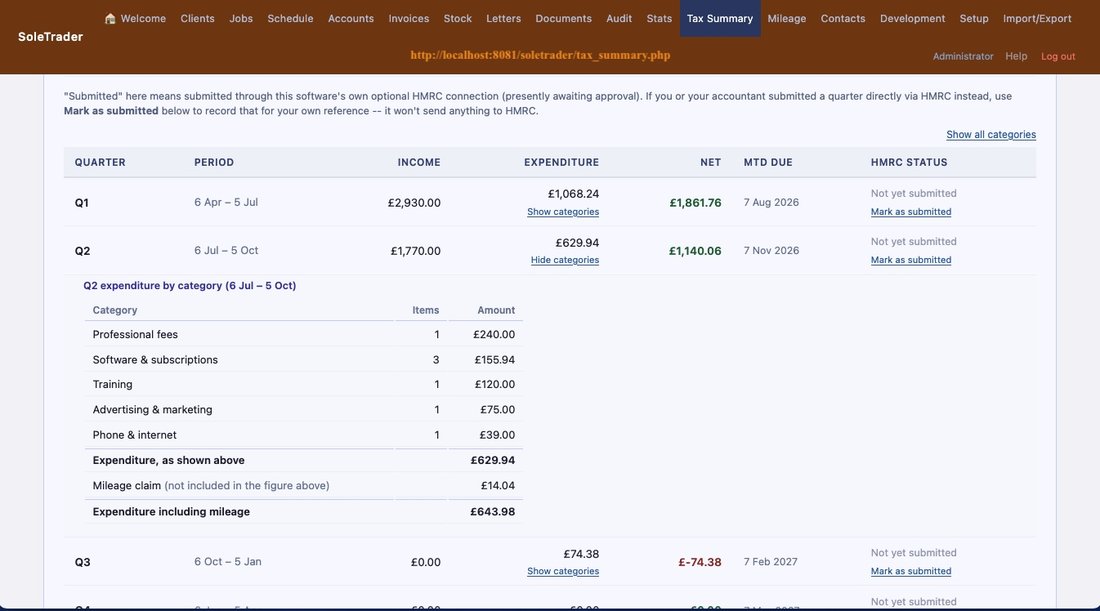
The Tax Summary shows quarterly income and spending, with the category breakdown.
Removing the sample data
Repeat steps 2 to 4, but choose the remove_sample_data_….sql file. Only the sample rows are removed. Anything you've entered yourself stays as it is. You can add the sample data again at any time, and running it twice doesn't create duplicates.
Questions
I got a red error message
Check that you chose a file ending .sql and the right database. If it still fails, note the error text, and ask on the support forum.
How do I know which rows are sample data?
Sample records use email addresses ending @sample.example.com, and their descriptions say "(sample)". Everything is made up.
I'm using the Docker easy install
There's a quicker one-click way. See Sample data on a Mac.
Remember: the sample data is made up. It isn't meant for a live practice or business, so remove it before you start entering your real records.